


FAQs
1. HOW DO I APPLY FOR A LOAN THROUGH THE MEMBERS’ PORTAL?
- From the Sacco website, log into the portal with your username (National ID) and Password. You will first be prompted with a security check to verify you are not a robot.
- If you have not logged in before, kindly click on activate/reset password. The system will send you a reset password on your phone as an SMS.
- Log into the portal using these credentials and you will be prompted with a screen on updating or retaining your password.
- Change or retain the password and proceed to the portal dashboard where you will find all your Sacco activities and statement in an organized summary.
- Go to the menu on the left and click on Apply for a Loan.
- Choose loan type, Loan amount and click Next.
- Choose guarantors, either by their ID number or Phone Number and click send.
- An SMS will prompt the guarantors to log into the portal and accept or reject the guarantorship.
- After all guarantors have accepted, click on Proceed to Sacco so as to get the Loan Offer Letter that you download and sign.
- Scan send back to the Sacco the letter together with your ID copy and 2 months payslips.
- Wait for SMS feedback on the loan to go through appraisal and lastly to be posted in your FOSA account.
2. CAN I TOP UP MY LOAN ONLINE?
- Yes. You can apply for a loan top up on the members portal by logging into the portal and follow the instructions as shown above.
- There will be an additional section where you can choose the loan you want to top up and click “Submitâ€.
3. WHAT DO I NEED WHEN APPLYING FOR A LOAN?
- Minimum of six guarantors who must be active members and have contributed deposits for at least three months.
- Most current 2 months pay slips certified by the applicant's employer's payroll officer, MUST be attached to the application.
- Attach copy of an acceptable form of identification (National ID/Valid Passport)
- Must have been an active member for at least six months.
4. CAN I APPLY FOR MORE THAN ONE LOAN?
A member is allowed to take all the loan products on offer so long as total loans repayments do not exceed two thirds of the members salary and three times the members savings. (Four times for Supersavers' loan)
5. CAN I APPLY FOR A TOP UP OF AN EXISTING LOAN?
A member with an existing loan is allowed to apply for a new loan of the same type from which the Society will recover the balance of the existing loan and give the member difference subject to third rule on the member's current pay slip.
6. CAN I OFFSET MY DEPOSITS AGAINST MY LOAN?
A member is only allowed to offset his deposits against his loans if he/she is ceasing to be a member of the Society. The member will then be required to pay off any loan balance if any. Additional requirements are as follows:-
- Offsets are also allowed when a member asks those he has guaranteed to seek for guarantor replacements.
- Your Share Capital Deposits remains in the Sacco and earns dividends but can only be transferred to another member at the same value.
7. IF I CLEAR A LOAN BEFORE ITS COMPLETION DATE WILL I BE REQUIRED TO PAY INTEREST FOR FUTURE PERIODS?
No, interest is only charged for the current month the loan is being cleared on period.
8. CAN I TRANSFER MY SHARE CAPITAL DEPOSITS TO ANOTHER MEMBER?
Yes, all a member needs to do is to instruct the Society by filling in a share transfer form. This is only possible upon member withdrawal from the SACCO.
9. WHAT DO I NEED TO DO WHEN WITHDRAWING FROM THE SOCIETY?
A member needs to inform the Society by filling in a withdrawal form giving the Society 60 days notice on the same.
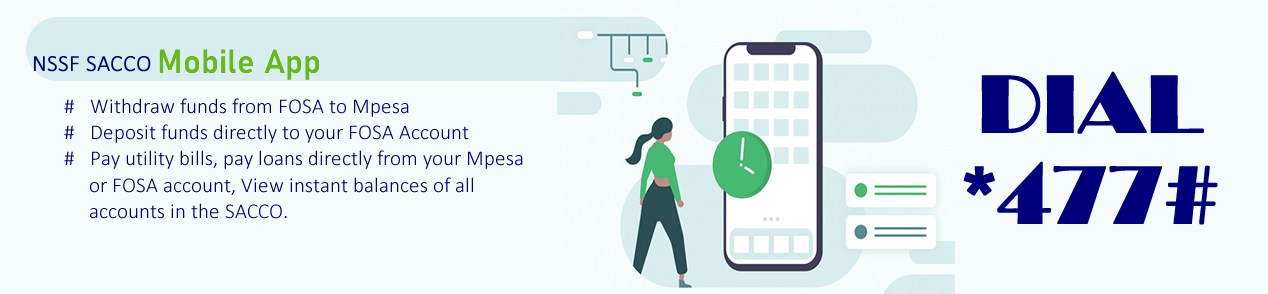
10. HOW DO I PAY FOR MY LOAN THROUGH MOBILE BANKING? (*477#)
Step 1, deposit funds to your FOSA account through Sacco Paybill 819890 and input your Sacco Member Number in the account option. Input the amount you wish to pay for the loan. The funds will be deposited in your FOSA account.
Step 2, dial *477# and choose loan repayment, choose any loan you would like to pay off. i.e. Mobile Banking or Emergency Loan and input the amount and complete the transaction with your mobile banking PIN.
11. HOW DO I PAY FOR MY LOAN THROUGH THE MOBILE APP?
Step 1: Log into the APP and choose loan repayment icon, choose to pay by either FOSA or MPESA option, a list of your current loan with their balances will be displayed.
Step 2: Choose the loan you want to pay off and input your mobile banking PIN to complete.
12. HOW DO I RESET OR ACTIVATE MY MEMBERS' PORTAL ACCOUNT PASSWORD?
The members portal is a self-service system. If you forget or want to activate your account, below are the steps:-
- Go to the Sacco website (www.nssfsacco.co.ke) and locate the members’ portal at the menu. (top right)
- Input the indicated security code when prompted.
- Go to log in screen with username and password, below these there is a link called activate of reset passwordâ€, click on it.
- You will be asked "what do you remember about your account?" with a prompt of either ID Number, Telephone Number, Member number or Email Address.
- Input either of the above you remember on the pop up and select send password button.
- An SMS with a new password will be sent to your cell phone number.
- Go back to log in and input the Membership Number/ID Number as your Username and your new password as indicated on the SMS sent.
- After you login with your new password, the system will prompt you to change the password. from here, you can change the new password or choose to skip.
- The system will log you in and take you to the portal dashboard.
Our Contacts
NSSF SACCO SOCIETY LTD,
Social Security House,
Block ‘C’ Ground Floor, Bishops Road.
P. O. Box 43338-00100,
Nairobi, Kenya.
Tel: +254 111 018100
+254 20 2832939
Email:info@nssfsacco.co.ke
Website: www.nssfsacco.co.ke
DEPARTMENTAL CONTACTS:
1. Credit Department: (Loans, Deposit Contributions and Refunds): +254111018116
2. FOSA Department: (FOSA Account Opening, EFTs, ATM, Pensions and Salary): +254111018110
3. Finance Department: (Receipts and Standing Orders): +254111018106
4. Membership Enquiries: (New SACCO Membership and Registrations): +254111018119
5. Registry: (Membership Details and Next of Kin): +254111018113
6. ICT Department: (Mobile Banking and Member's Portal): +254111018107
Kindly note the above communication lines are available between 8.00am and 5.00pm Monday to Friday.
Reach us on


